On Writing
Edit a Google Doc with AI and push the changes back to the same Doc
Your writing already lives in Google Docs. We meet it there.
June 1, 2026
You know the loop. Copy a section out of the Doc, paste it into a chat, paste the answer back. The headings are flat now. The links are gone. The table is a paragraph. The comment your colleague left is attached to text that no longer exists. You spend ten minutes restoring what the round trip destroyed, and you’re not confident you caught everything.
The alternative most tools offer is worse: move the document here. New home, new format, and from that day on two versions of the piece that drift apart. The one in the tool. The one your collaborators can see.
Why the copy-paste loop fails
Formatting isn’t decoration; it’s structure. Headings carry the argument’s shape, lists carry its parallels, tables carry its evidence. Lose them and you don’t just have re-work, you have new places for errors to hide.
And the Doc is where collaboration lives: comments, suggestions, version history, the three people who need to see the change. A fork breaks all of it. Whatever editing you did in the fork now has to be re-done, by hand, in the place that counts.
The in-Doc options, honestly
Docs has its own assistant, and the Marketplace has add-ons that keep formatting intact. They’re convenient, and for sentence-level polish they’re fine. What they mostly don’t do is the heavier work: read the whole piece, find the claim that doesn’t hold, check the draft against your own voice rather than a house style. That work needs an editor, not a sidebar.
Our bet: go to the document
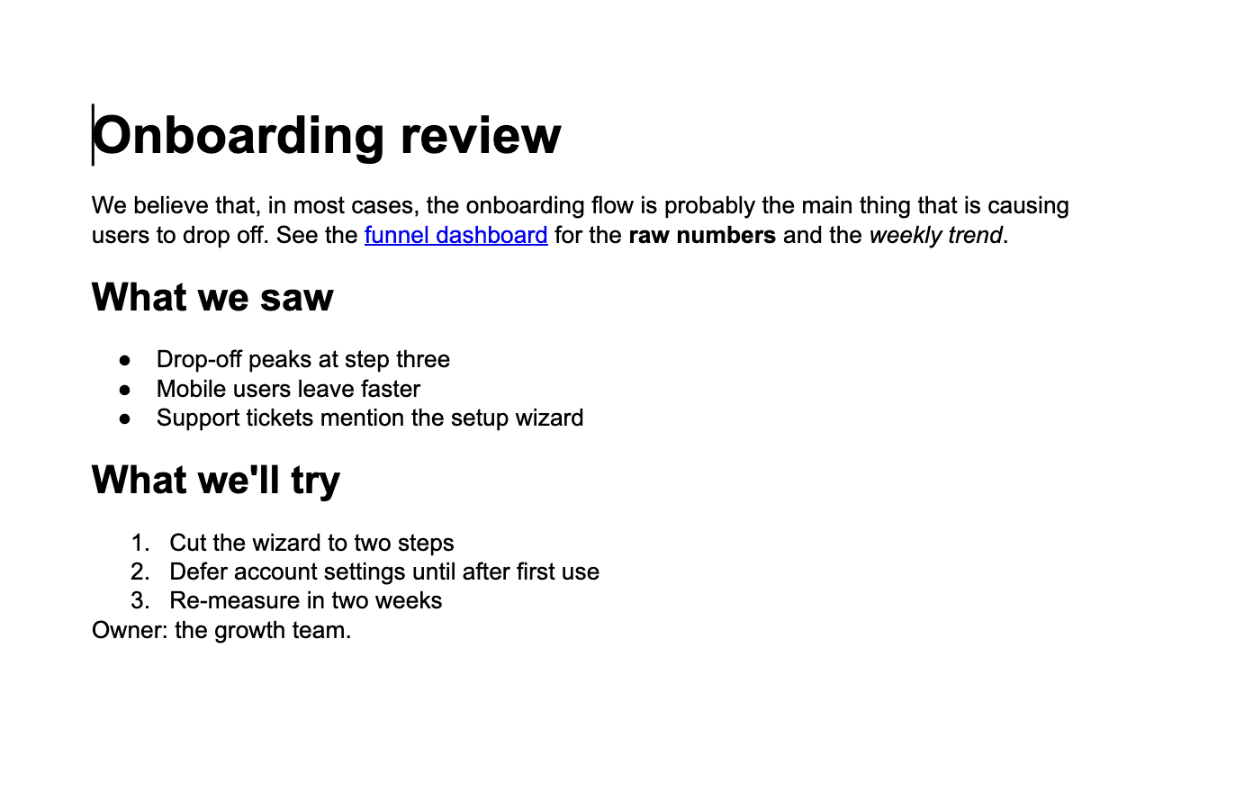
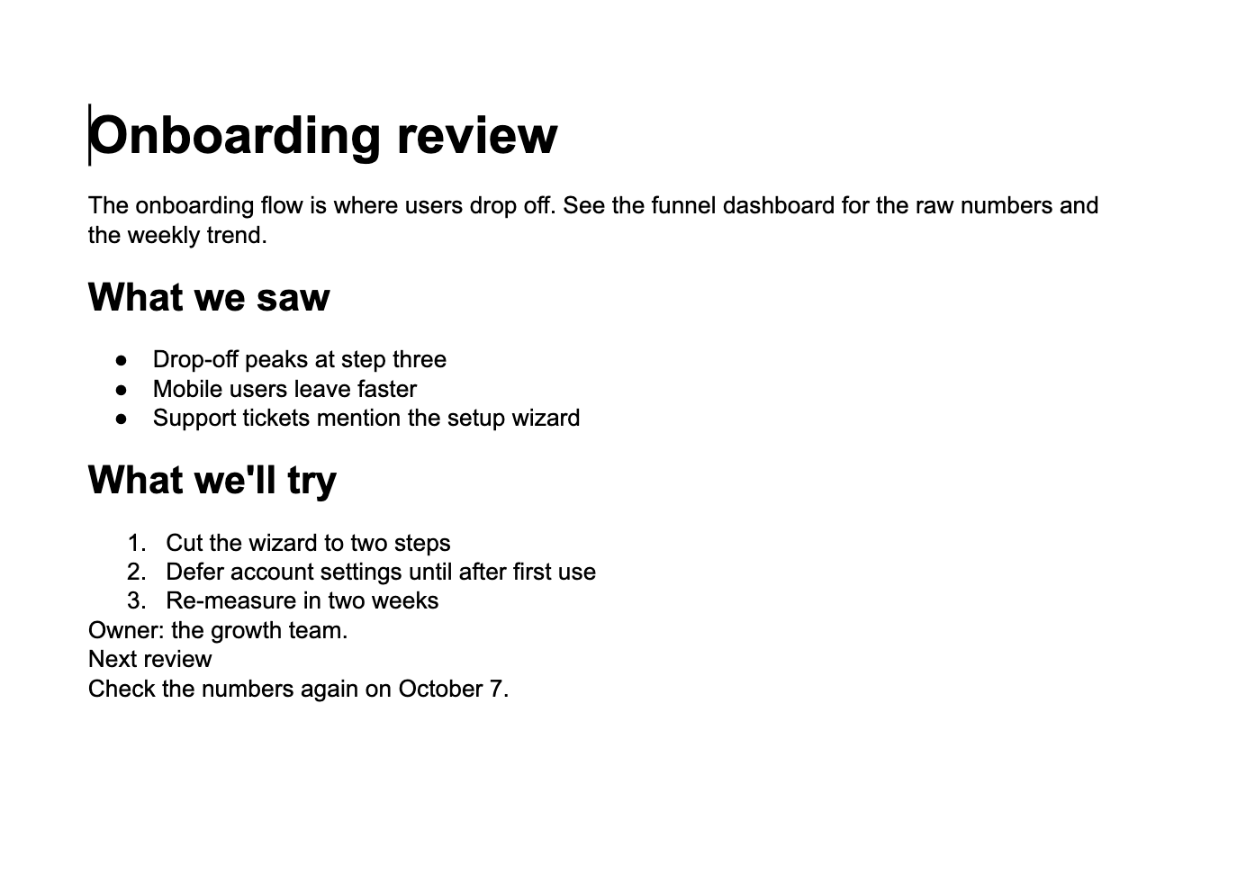
Write to Stick goes to the Doc instead of asking the Doc to come to us. Import a document with its headings, lists, links, and inline formatting intact. Tables aren’t supported yet: they come through as a placeholder, and a Doc containing one can’t be pushed back, so keep table-heavy documents out for now. Sharpen it: tighten the argument, run the voice check, fix the weakest link. Push the result back to the same document, where the comments and the collaborators still are. No copy-paste, no fork, no “final_v3_ACTUAL” living in a second app.
What the round trip looks like
Connect your Google account once. Import the Doc. Edit in Write to Stick the way you would any draft. Push back when you’re done with a pass. Only the paragraphs you changed are rewritten; everything else in the Doc stays exactly as it was. A paragraph you edited goes back as plain text, though: links, bold, and italics inside it don’t survive the push, and a heading you add arrives as normal text, so restyle those in Docs afterward. If anyone has changed the Doc since you imported it, Write to Stick won’t write over their work; it stops and offers to save your version as a new Google Doc. So do your pass between rounds of live editing, not during one.
This part of the product isn’t a metaphor. It’s plumbing, and the point of plumbing is to be boring. The sharpest editor is the one that fits into where the work already happens. And once the document is in front of a real editor, the work is the same as always: find the weakest link, mark what you don’t know, and cut everything that isn’t the point.